Quill icon

Quill

The Markdown editor that reads like the finished page — on Mac, iPad, and iPhone

Quill is a native WYSIWYG editor for Markdown. As you type, it hides the syntax markers and renders the result in real time — math, diagrams, tables, and all — so your document looks like a clean article, while every word stays plain .md underneath. The same document, the same writing experience, everywhere you work.

Download on the App Store

Universal app for macOS 26, iPadOS 26 & iOS 26 or later
Write in Markdown and watch it render live — headings, math, tables, and diagrams, with the syntax tucked away.

Markdown, the way it should feel

A focused, native writing space that renders as you type — no split-pane preview, no browser, no clutter.

Live WYSIWYG editing

Syntax markers hide as you type and reveal themselves the moment your cursor lands on them. The page stays clean, and the underlying text is always plain Markdown — nothing proprietary, nothing locked in.

Math with KaTeX

Inline and block LaTeX render instantly — from Euler’s identity to matrices and integrals. Equations stay crisp in the editor and carry through to every export format.

Live Mermaid diagrams

Flowcharts, sequence diagrams, and more render as live diagrams right inside your document. Sketch an idea in a fenced mermaid block and watch it draw itself.

🔗

Wikilinks & backlinks

Write [[wikilinks]] and #tags in your prose. Links are live and clickable across your folder, and the Backlinks sidebar shows every note that points to the one you’re editing.

📄

Export anywhere

One-click export to HTML, print-ready PDF, Microsoft Word (.docx), and valid EPUB 3 — complete with a heading-based table of contents and your active theme baked in.

🎨

Themes & focus modes

Four built-in themes plus a live theme editor. Focus Mode dims everything but the current block, and Typewriter Mode keeps your active line centered as you write.

Speed Read

An RSVP overlay flashes one word at a time at 150–900 WPM, with smart pauses on punctuation. Code, math, and diagrams are skipped automatically so you stay in the prose.

🧠

On-device Intelligence

Suggest a title, summarize a document, or rewrite a selection in the tone you choose — powered by Apple’s on-device Foundation Models. Nothing leaves your Mac.

🔍

Capture & Spotlight · Mac

On the Mac, Shortcuts actions, a system Share extension, and live Spotlight indexing feed straight into your capture folder. Quick Look renders any .md file with a clean layout, no app launch required.

👁

Live preview for any editor

Keep VS Code, Obsidian, or BBEdit open and let Quill’s live preview re-render the file on every save — themed, with math, diagrams, and tables intact.

📱

One app, every device

Quill is a Universal app for Mac, iPad, and iPhone. The same WYSIWYG editing, live rendering, export, Speed Read, and Apple Intelligence travel with you — and a single purchase unlocks Pro on all of them.

See it in action

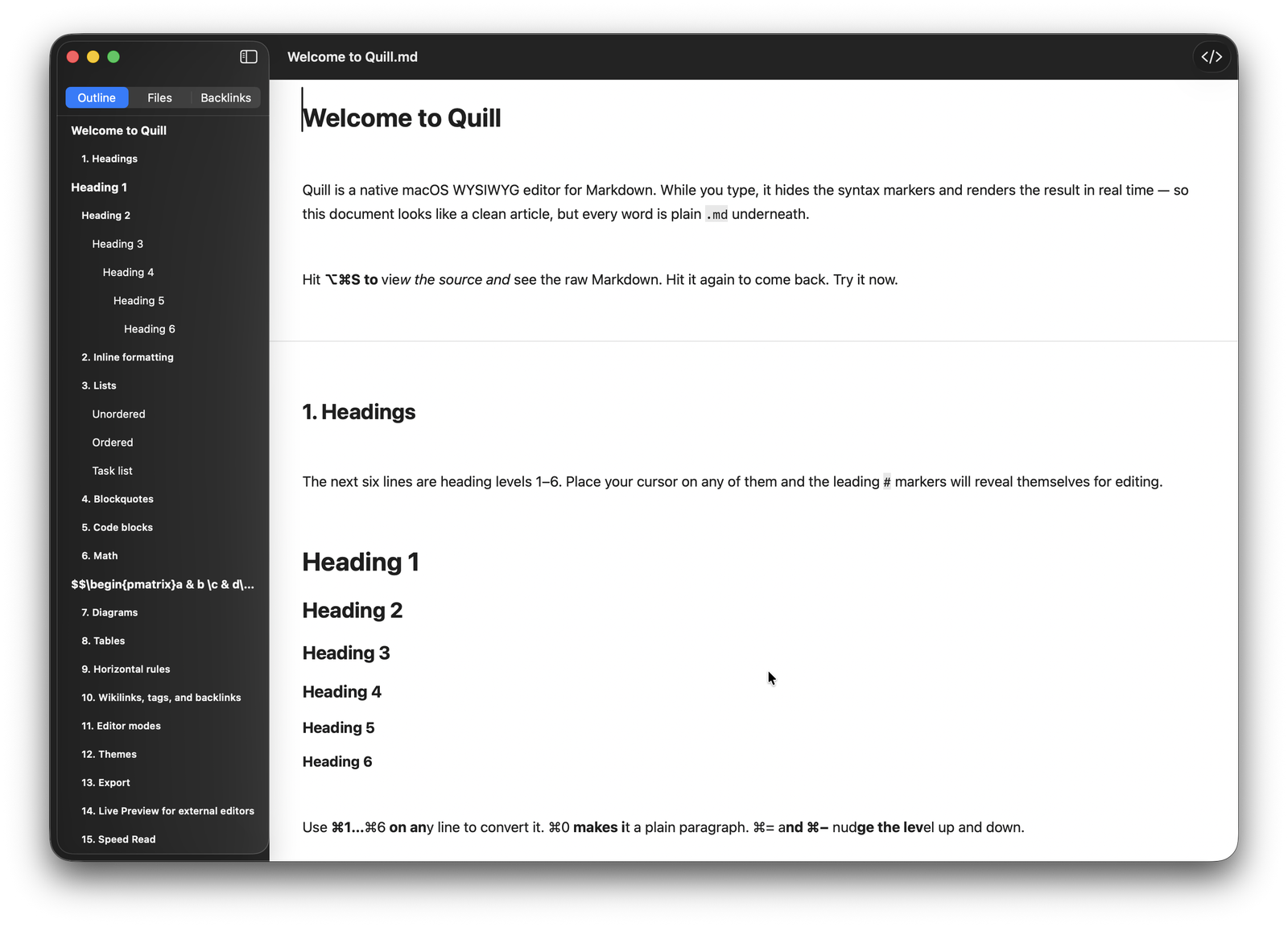
Quill editing a Markdown document with hidden syntax markers and an outline sidebar
Write

A clean page, plain Markdown underneath

Headings, bold, italics, lists, and links render as you type, with the raw markers tucked away until you need them. The outline sidebar tracks every heading so you can jump anywhere in a long document. Hit ⌥⌘S to flip to the raw source and back.

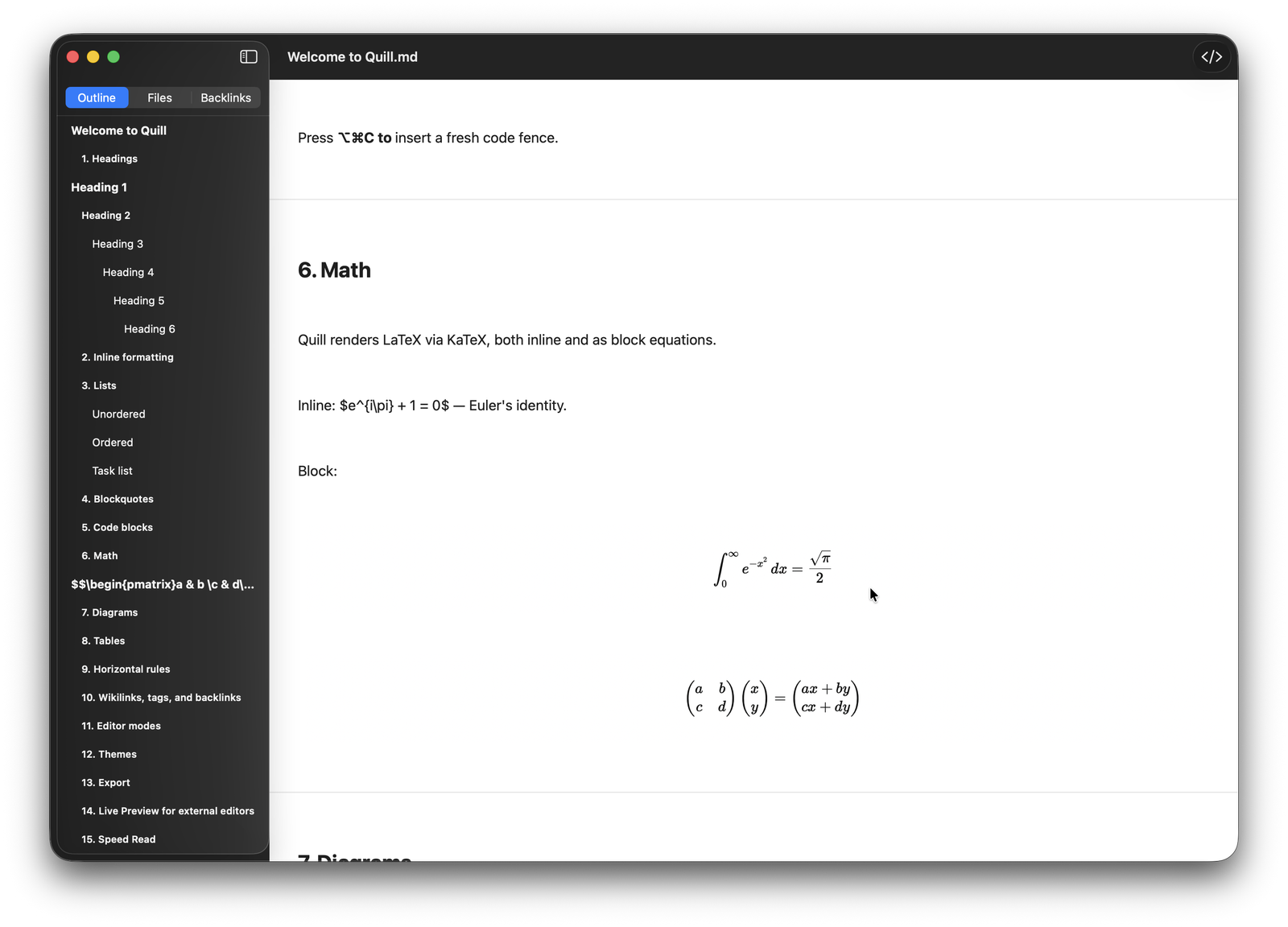
Quill rendering inline and block LaTeX math via KaTeX
Math

LaTeX that renders as you write

Quill renders LaTeX via KaTeX, both inline and as centered block equations. Integrals, matrices, and Greek all stay crisp in the editor — and survive export to PDF, HTML, Word, and EPUB without a screenshot in sight.

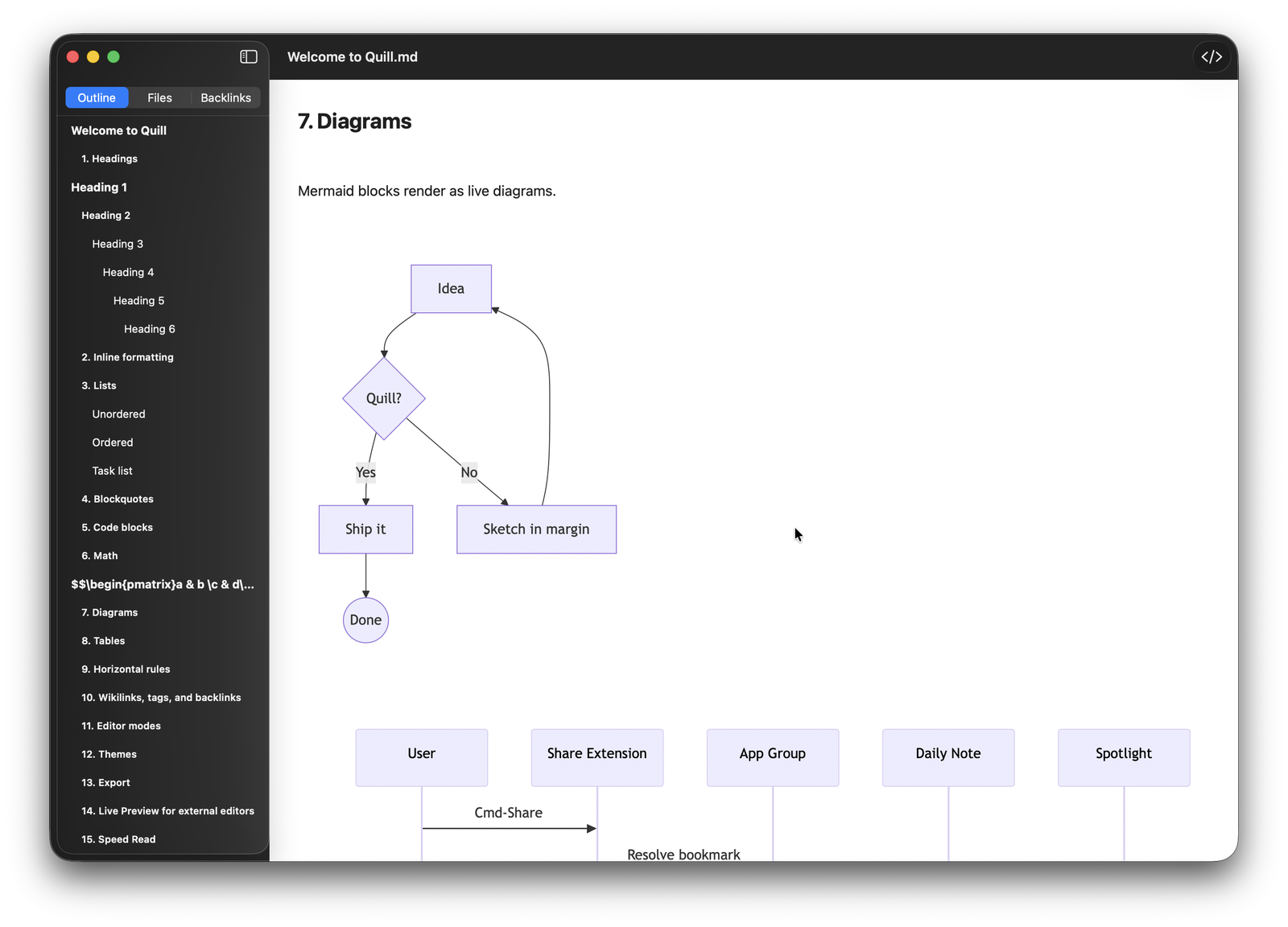
Quill rendering a live Mermaid flowchart inside a Markdown document
Diagrams

Mermaid blocks become live diagrams

Drop a fenced mermaid block into your note and Quill draws it inline — flowcharts, sequence diagrams, and more. Edit the text and the diagram redraws itself, so your documentation and its visuals never drift apart.

Everywhere you write

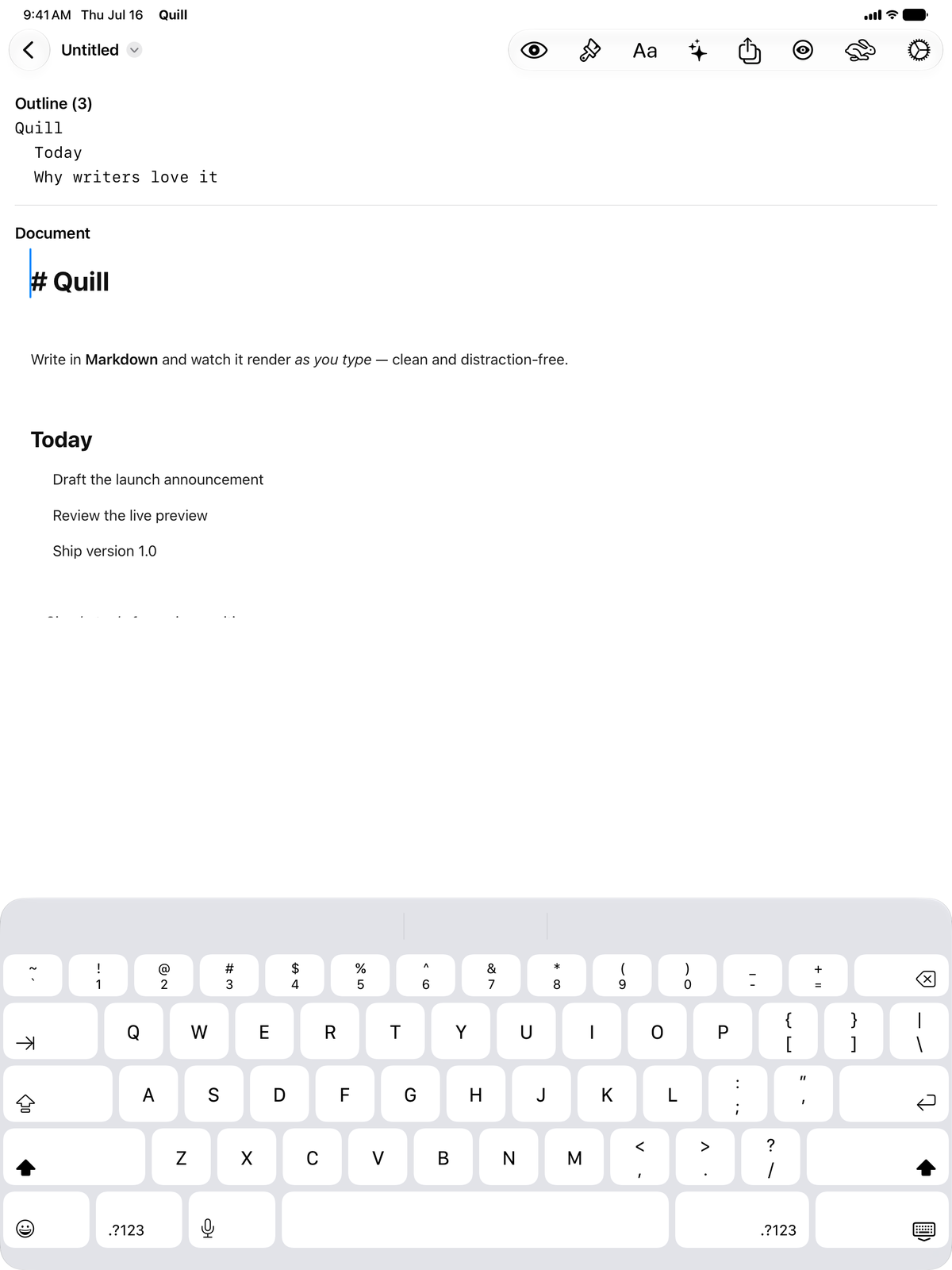
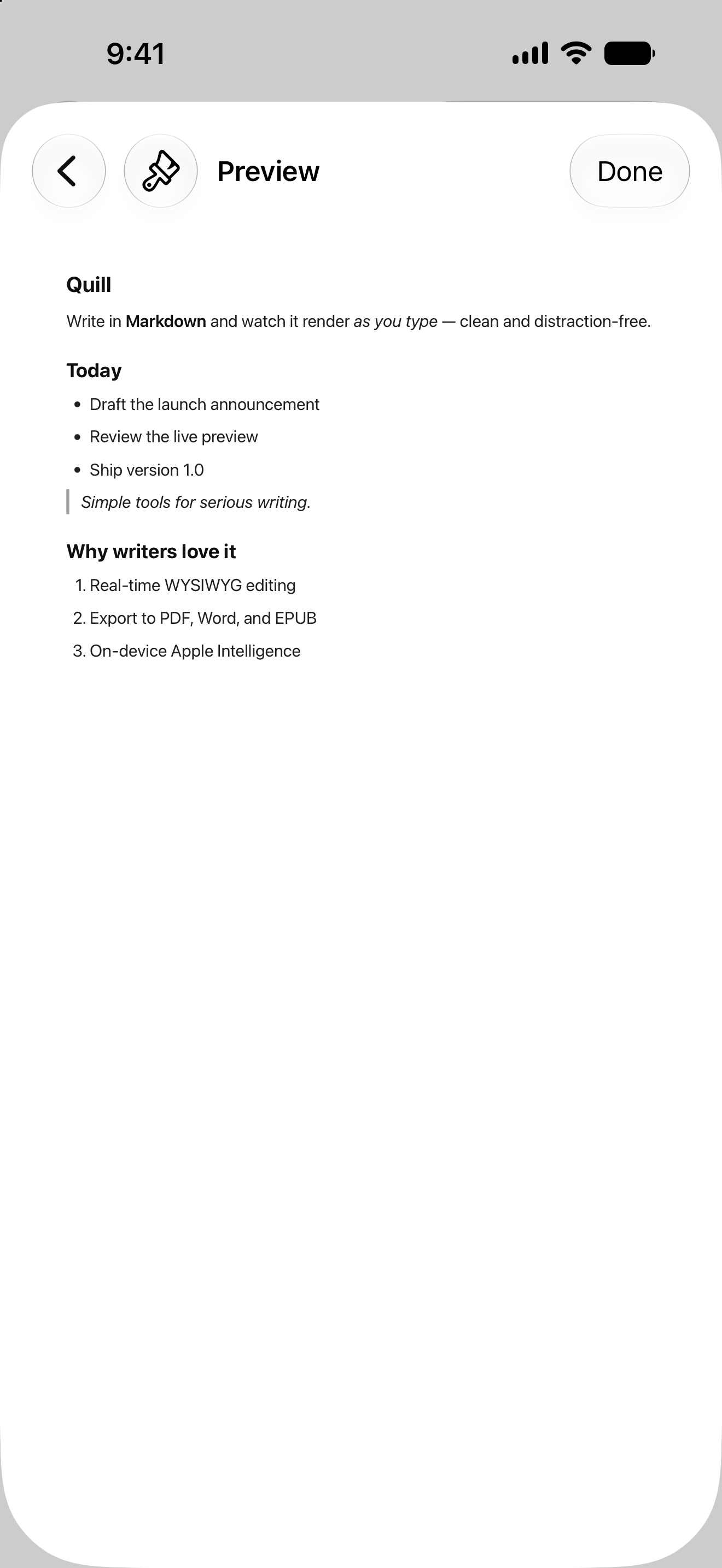
Quill is a Universal app. Start a note on your Mac, keep editing on iPad, and pick it up on iPhone — same WYSIWYG rendering, same themes, same document.

Quill editing a Markdown document on iPad with the outline and on-screen keyboard iPad
Quill's live rendered preview on iPhone iPhone

Speed Read — an RSVP overlay that flashes one word at a time, up to 900 WPM, on every platform.

One purchase, every device

Try everything free, then unlock Pro once — a single purchase covers Mac, iPad, and iPhone.

$14.99 one-time

Quill Pro · Universal Purchase · no subscription

  • Free 14-day trial of every feature
  • Basic Markdown editing stays free forever
  • Pro unlocks export (HTML, PDF, Word, EPUB), Live Preview, Speed Read, Apple Intelligence, and Wiki Links & Backlinks
  • One purchase unlocks Pro on Mac, iPad & iPhone

Download free on the App Store — start your 14-day Pro trial in-app.

Everything you'd expect — and more

Full Markdown, real keyboard shortcuts, and native macOS integration throughout.

Writing & Formatting

  • Headings ⌘1⌘6
  • Bold, italic, strikethrough, code
  • Ordered, unordered & task lists
  • Blockquotes & horizontal rules
  • Tables with a one-key skeleton
  • Hyperlinks ⌘K & auto-links
  • Fenced & inline code blocks

Render & Navigate

  • KaTeX math, inline & block
  • Live Mermaid diagrams
  • Outline, Files & Backlinks sidebar
  • Live [[wikilinks]] & #tags
  • Focus & Typewriter modes
  • View Source ⌥⌘S
  • Speed Read ⇧⌘R

Export & Integrate

  • Export HTML, PDF, Word, EPUB
  • Live preview for external editors
  • On-device Apple Intelligence
  • Custom themes with live editor
  • Shortcuts & Share capture (Mac)
  • Spotlight indexing (Mac)
  • Quick Look & thumbnails (Mac)

Get Quill today

Download Quill on the App Store and write Markdown that reads like the finished page — on Mac, iPad, and iPhone.

Download on the App Store

Universal app for macOS 26, iPadOS 26 & iOS 26 or later
Found a bug or have feedback?