JSON Editor for macOS — Version 2.0
A native JSON workbench with a built-in jq engine, structural editing, schema validation, multi-format export, diff view, and syntax-highlighted source editor. View, edit, query, validate, and compare JSON — all in one app.
Download on the Mac App StoreA major update that transforms Bonsai from a JSON viewer into a complete JSON workbench.
Add, delete, rename, reorder, and change types with full undo.
Color-coded source editor with find/replace.
Load a JSON Schema and see violations on tree nodes.
Structural comparison of two files with color-coded results.
Export as JSON, CSV, YAML, or Property List.
Clickable path bar for quick ancestor navigation.
Arrow keys to navigate, expand, collapse, and delete.
Recent jq queries saved and recallable with one click.
Preview JSON files in Finder with syntax highlighting. No need to open the app.
Everything you need to view, edit, query, validate, and compare JSON data — in one native Mac app.
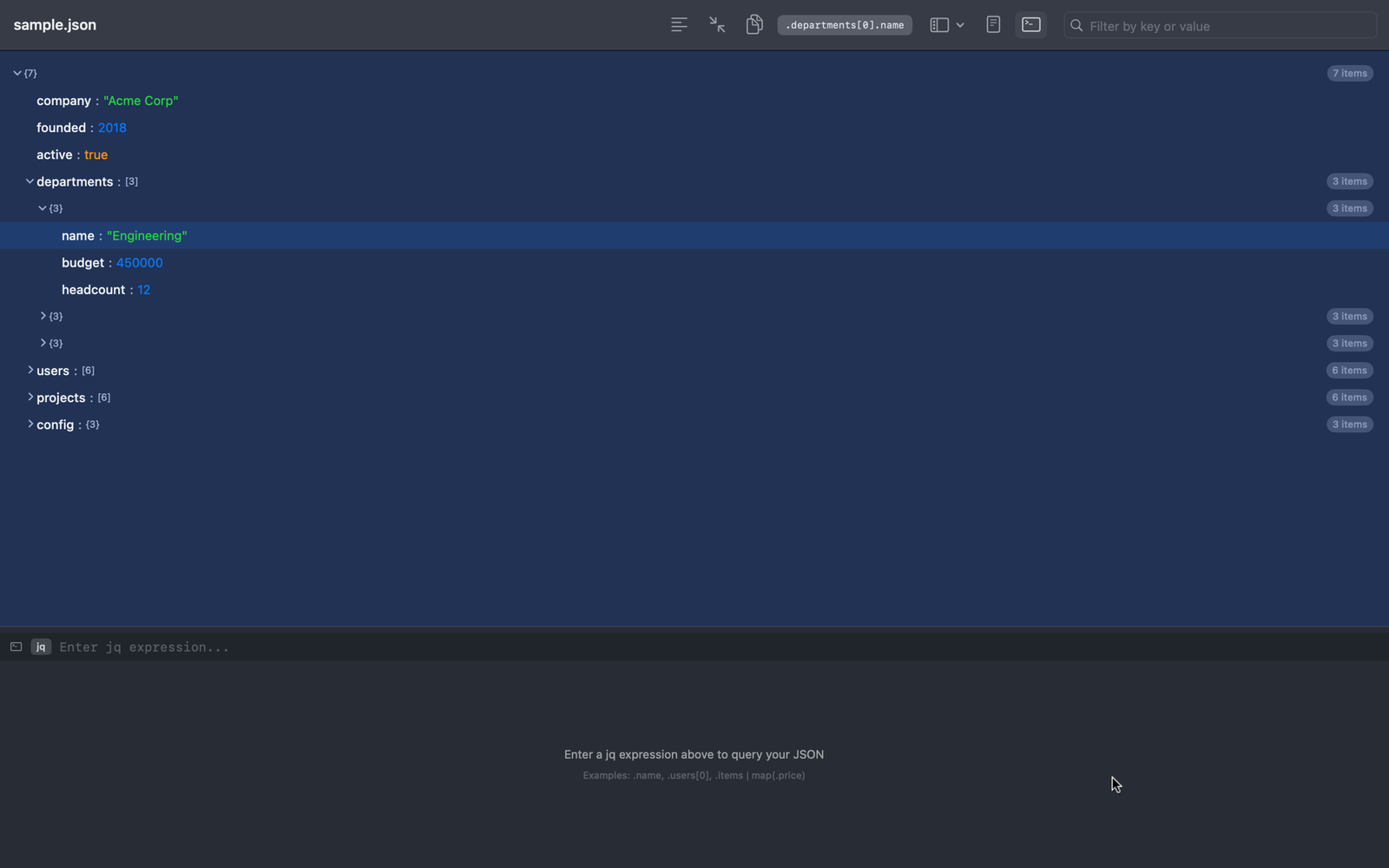
Explore JSON as a collapsible, color-coded tree with adaptive dark mode colors. Navigate with arrow keys, right-click for a context menu, and use the breadcrumb bar to jump to any ancestor. A status bar shows live document stats.
A complete jq query engine runs locally, right inside the app. Filter, transform, aggregate, and reshape your JSON with live results as you type. Query history saves your recent expressions. No terminal required.
Go beyond inline value edits. Add properties, append array elements, rename keys, reorder items, change types, and delete nodes — all from the context menu with full undo/redo. The "+" button makes adding children quick.
The source editor highlights JSON syntax with distinct colors for keys, strings, numbers, booleans, and structural characters. Built on a native NSTextView with find/replace and full editing support.
Load a JSON Schema file and instantly see violations highlighted on tree nodes with orange warning badges. A validation panel lists every issue with click-to-navigate. Supports type, required, enum, pattern, ranges, and more.
Open the diff window to compare any two JSON files. Bonsai performs a deep structural comparison and displays results as a color-coded tree — green for additions, red for removals, orange for changes.
Export query results as JSON, CSV, YAML, or Apple Property List. CSV export auto-detects array-of-objects and generates proper column headers. Move data into spreadsheets, config files, or other tools effortlessly.
Live search filters the tree as you type, matching key names and values. Parent nodes stay visible so you never lose structural context. Large containers are paginated for performance.
Learn jq hands-on with 40+ guided lessons across 9 categories. Each step explains a concept, lets you run a query against sample data, and tracks your progress.
Press Space on any JSON file in Finder to see a syntax-highlighted preview — no need to open the app. JSON file icons in Finder also display a rich thumbnail with colored code, so you can identify files at a glance.
Bonsai renders every JSON file as a navigable tree with adaptive dark mode colors. A breadcrumb bar shows your position, keyboard arrows let you navigate without the mouse, and right-click opens a context menu with editing actions. The status bar shows live document stats.
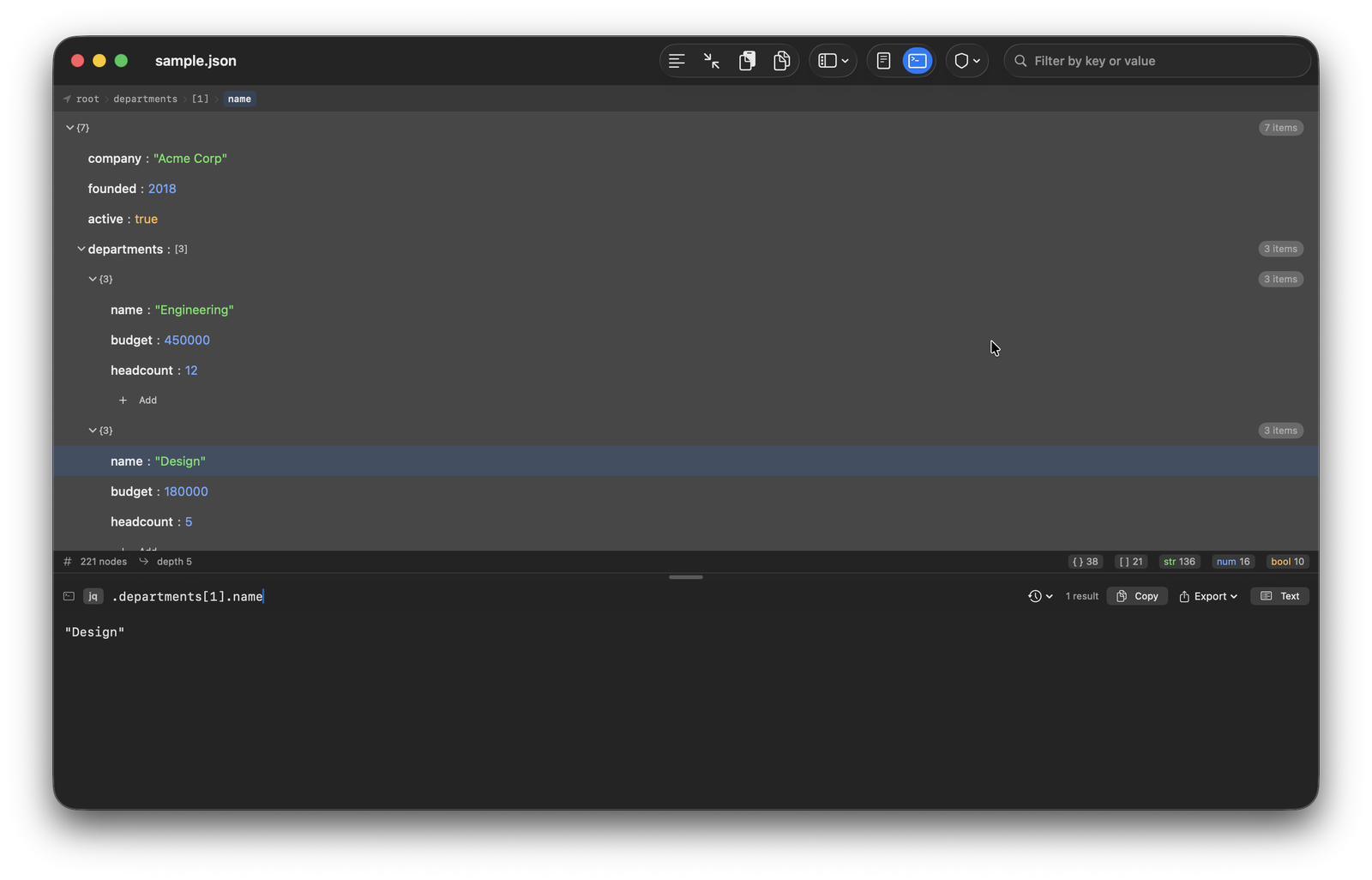
The source editor now features full syntax highlighting — keys in bold, strings in green, numbers in blue, booleans in orange. Edit directly as source text with find/replace, undo support, and live reparsing. Format or Minify in one click.
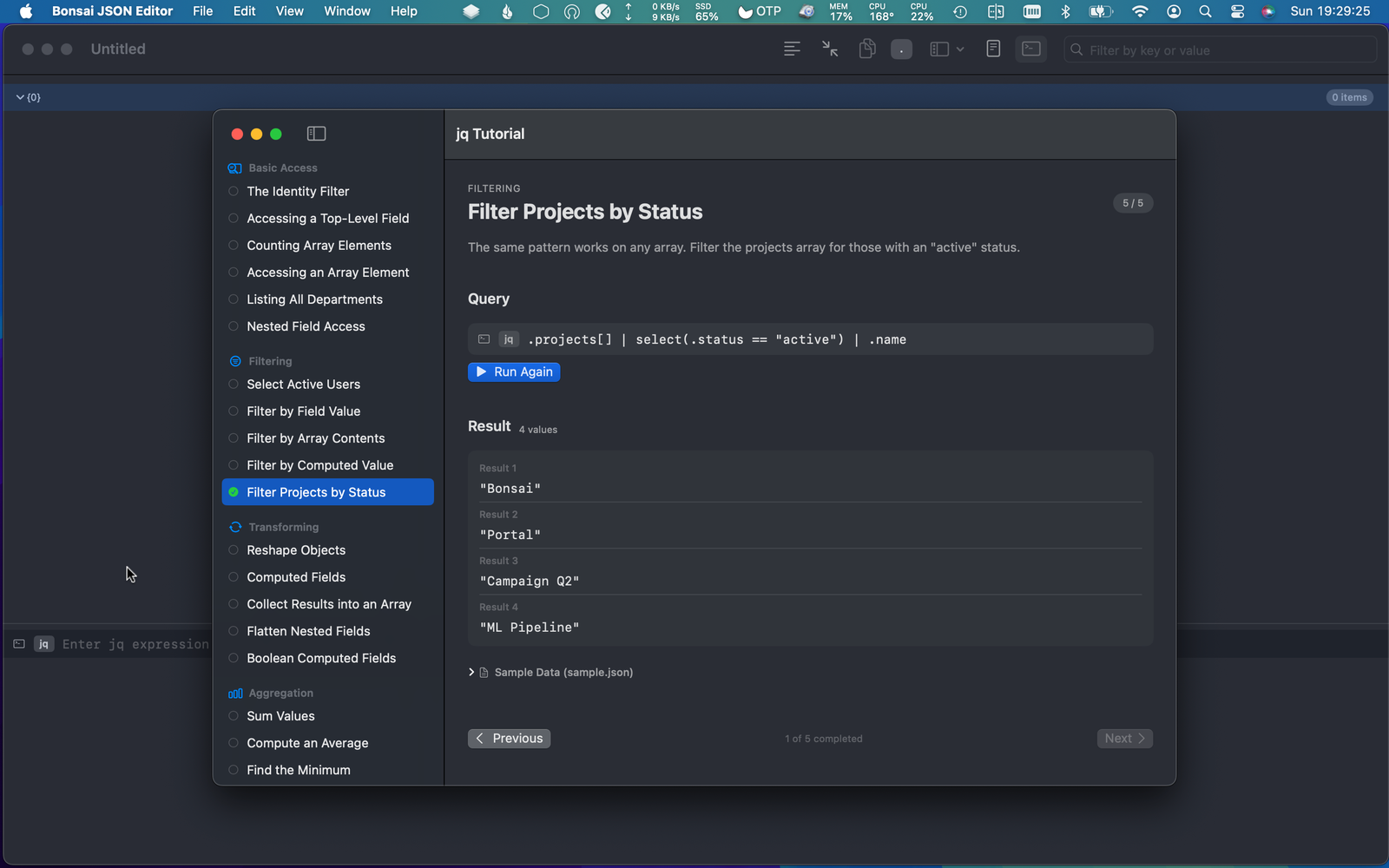
New to jq? The built-in tutorial walks you through 40+ lessons — from basic field access to complex multi-step pipelines. Each lesson explains the concept, provides an editable query, and lets you run it against real sample data with a single click.
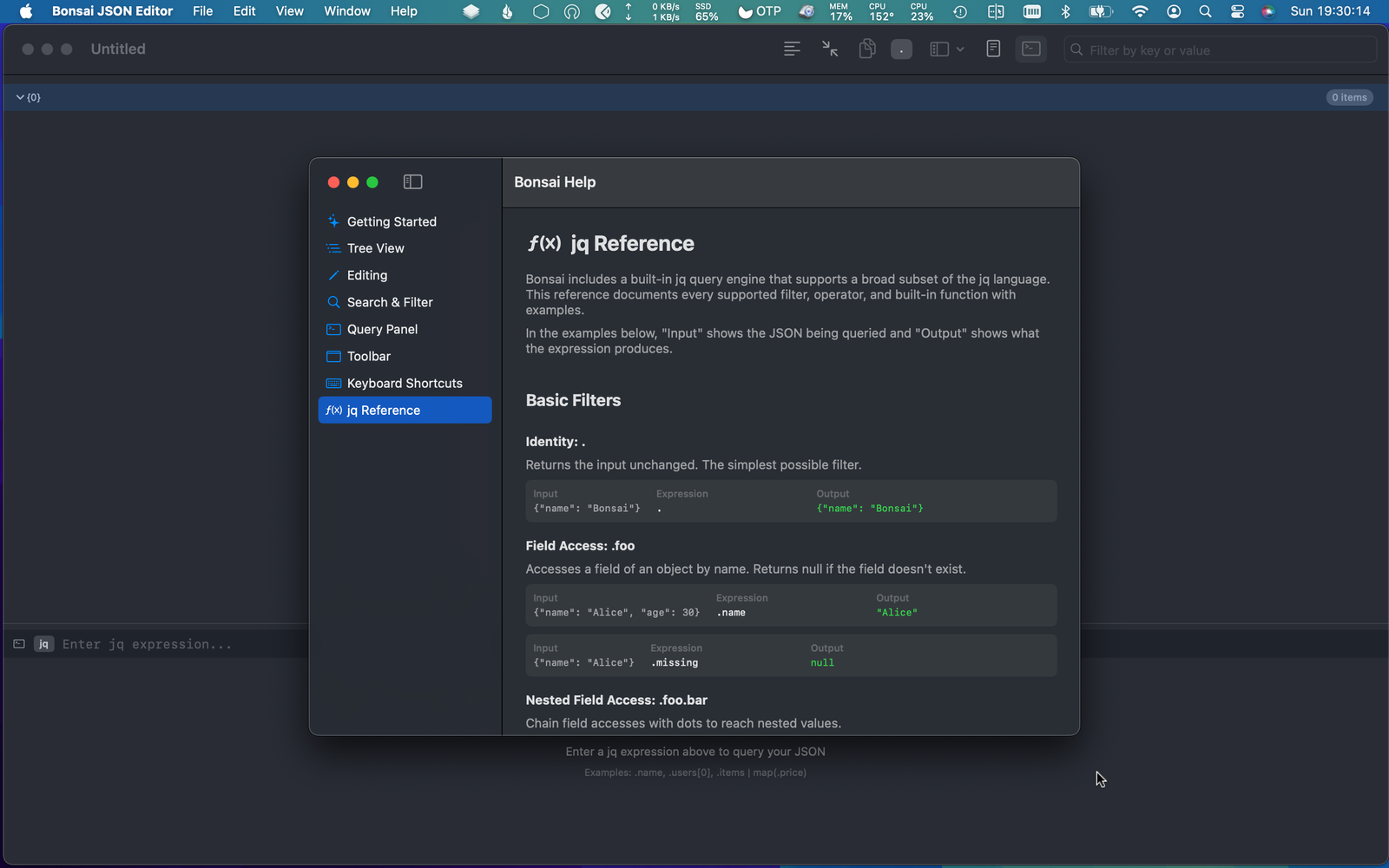
A comprehensive jq reference covers every supported filter, operator, and builtin function with clear examples. Feature documentation, keyboard shortcuts, and usage guides are always one click away.
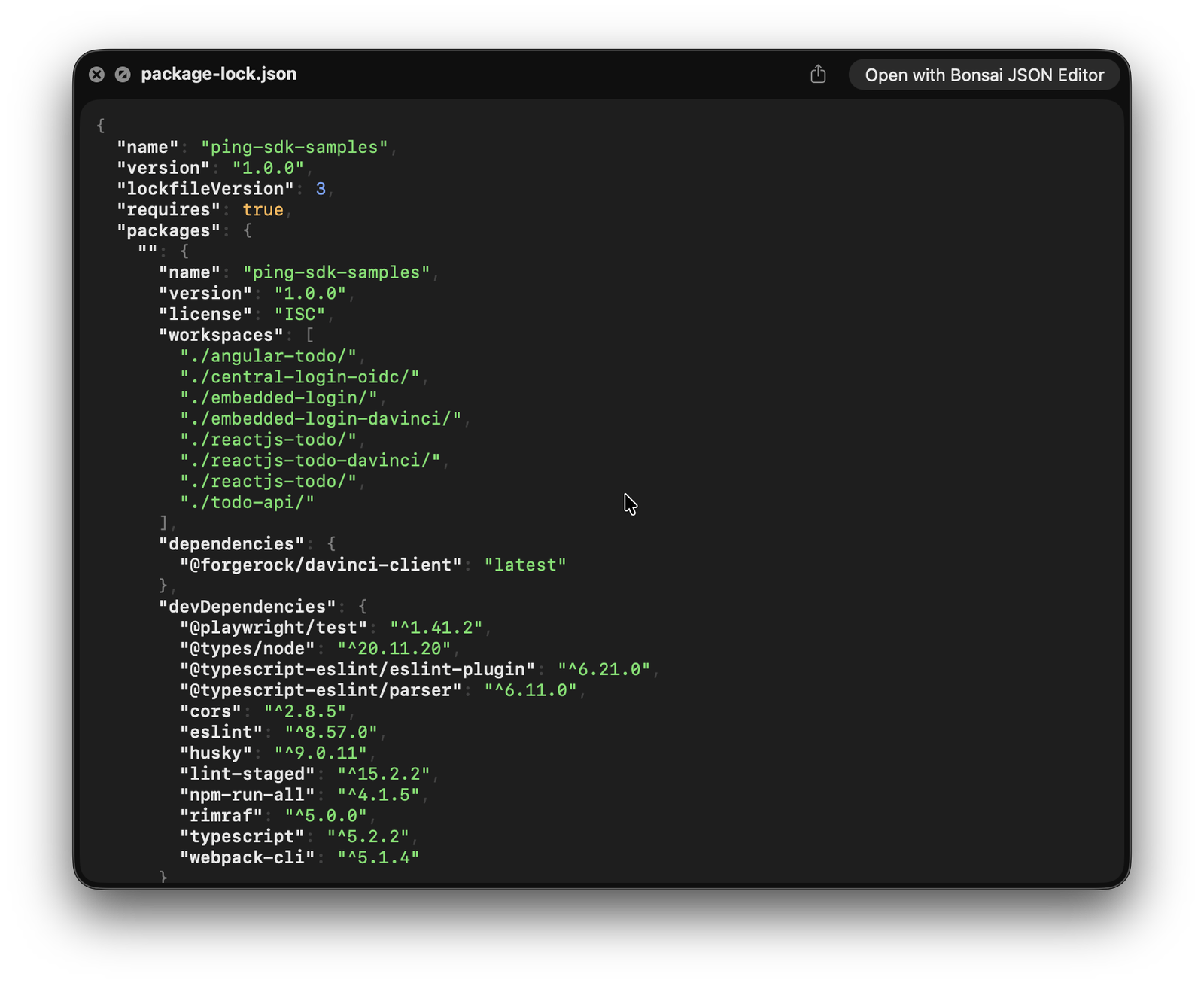
Press Space on any JSON file in Finder and get a full syntax-highlighted preview instantly. Keys appear in bold, strings in green, numbers in blue, booleans in orange. JSON file icons also show rich thumbnails with colored code so you can identify files at a glance.
80+ builtin functions. No dependencies, no terminal, no setup. Just type a query and see results.
select() — filter by conditionmap() — transform elementssort_by() — sort by fieldgroup_by() — group elementsunique_by() — deduplicateflatten — flatten arraysfirst / lastlimit() / nth()range() — generate sequenceskeys / values / has()to_entries / from_entrieswith_entries()contains() / inside()del() — remove fieldssplit() / join()test() / match() — regexsub() / gsub() — replacestartswith() / endswith()add / lengthmin / maxmin_by() / max_by()any() / all()abs / floor / ceilsqrt / roundtype — value typetojson / fromjsonif-then-else / try-catchFound a bug or have feedback?