The native API client for the age of AI agents
A fast, native macOS API client with request chaining, assertions, environments, and git-managed collections — plus a built-in MCP server that lets AI agents drive every workflow the app can. Design, test, and automate your APIs without leaving your Mac.
Requires macOS 15 or later
A complete native client for designing, testing, and debugging APIs — no Electron, no cloud account, no clutter.
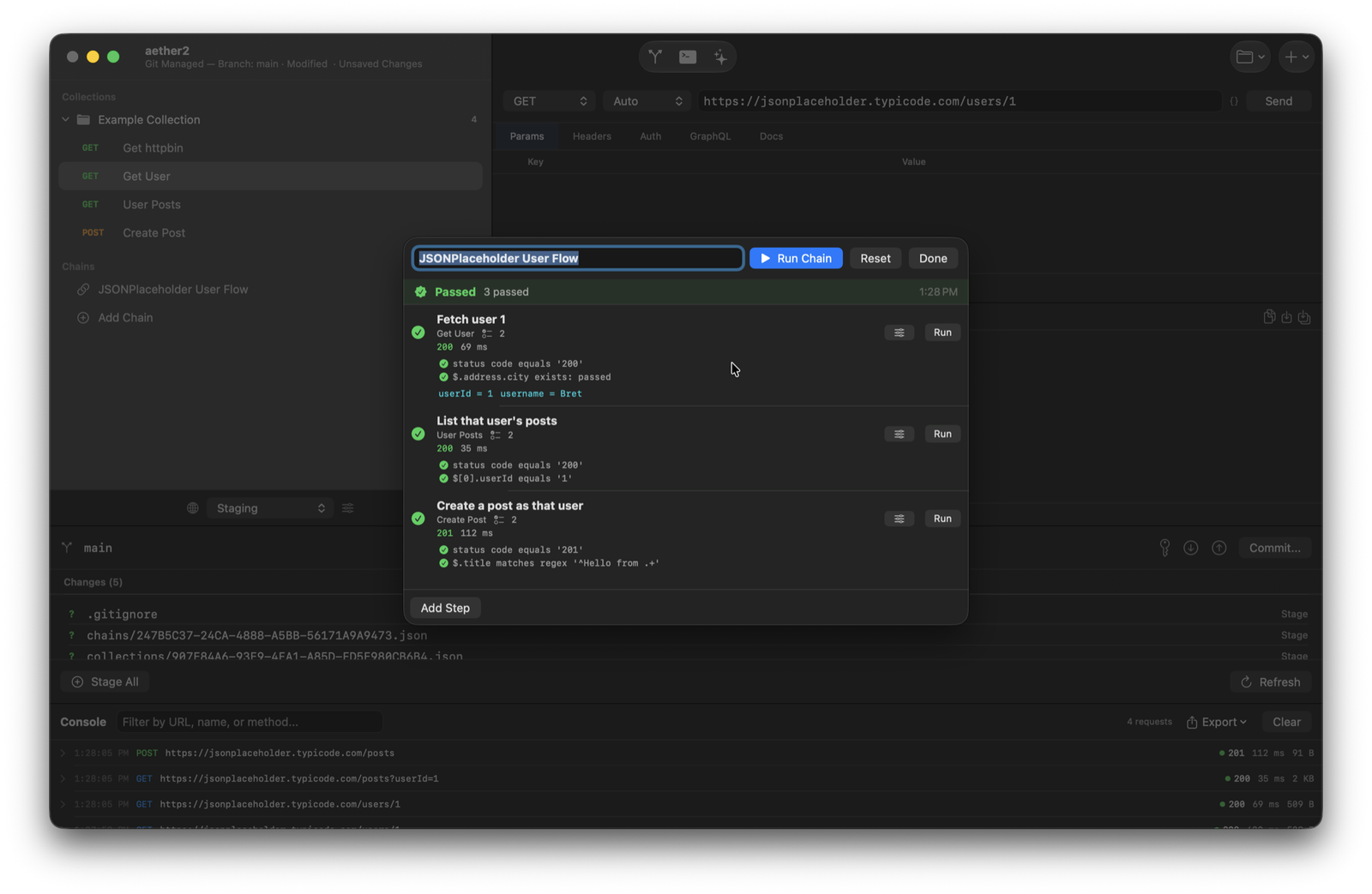
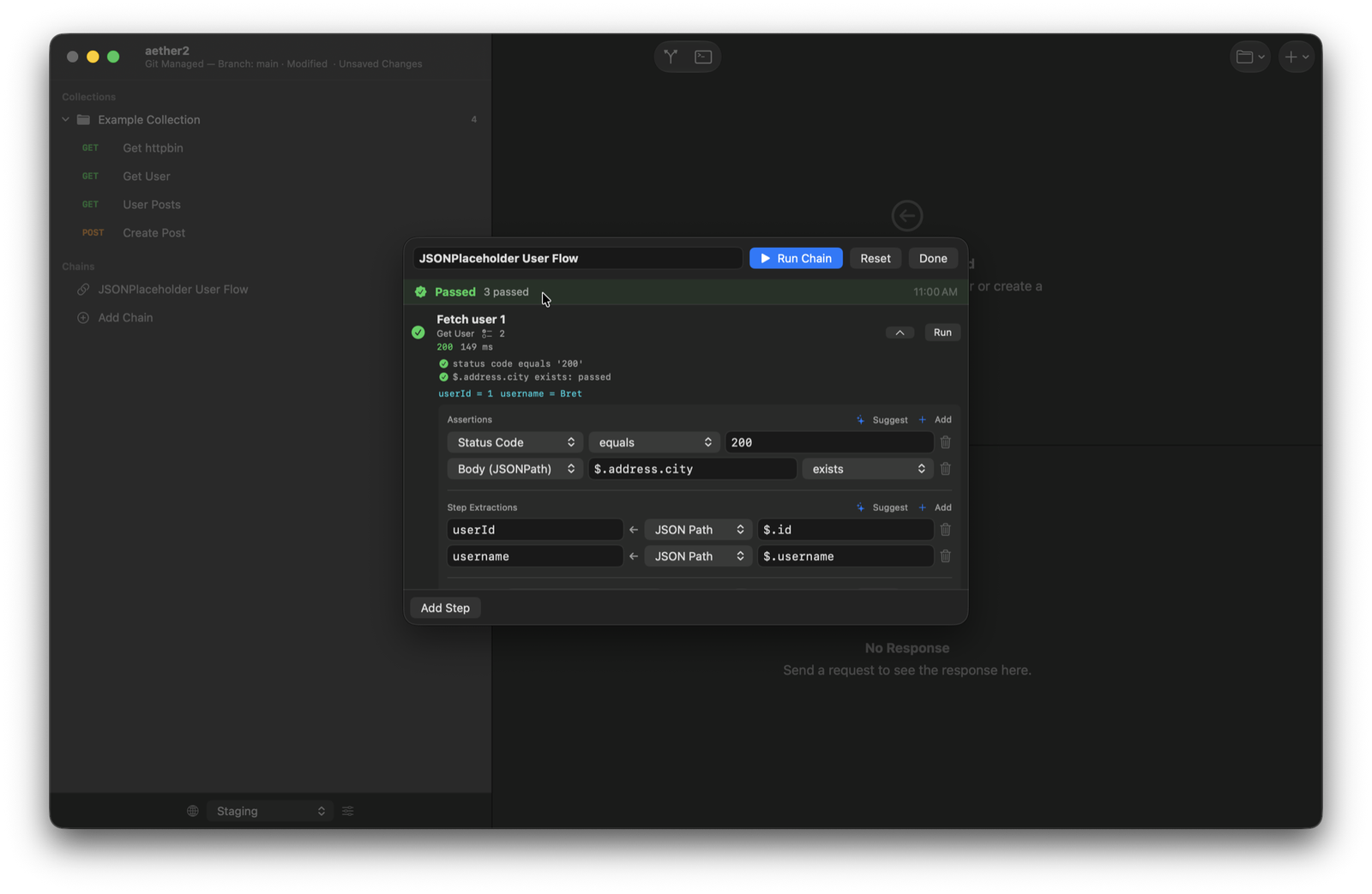
String requests into multi-step flows. Extract values from one response — a token, an ID — and feed them into the next. Give a step retries with a delay, decide whether a failure halts the run or carries on, then watch each step pass or fail.
Assert on status codes, JSONPath values, headers, and response time, with comparators from equals and contains to ranges and regex. Pull data out of responses with JSONPath and reuse it downstream. Turn any request into a repeatable test.
Switch between Staging, Production, and any environment you define. Reference {{variables}} anywhere — URLs, headers, bodies — and keep secrets out of your requests.
Bearer tokens, Basic auth, API keys, and full OAuth2 flows with token management built in. Authenticate once and Aether handles the rest across your collection.
First-class support for REST and GraphQL, with raw, form, and multipart bodies. A rich response viewer with syntax highlighting, headers, and extraction preview.
Bring in requests from Postman and Yaak collections, cURL commands, OpenAPI and Swagger specs, and HAR captures. Export back out to Postman, cURL, or HAR. Get your existing API surface into Aether in seconds instead of rebuilding it by hand.
Collections and chains are plain files under git. Clone, pull, push, stage, and commit your API workspace right inside the app — with conflict resolution when a pull collides. Version control your requests like code.
Every request your app fires shows up in a filterable console with status, timing, and size. Inspect, replay, and export the full history of what actually went over the wire.
Built with SwiftUI for macOS. Instant launch, low memory, and a UI that feels at home on your Mac — a world away from browser-based, Electron-heavy tools.

Aether exposes its entire capability — requests, chains, environments, console history — through a built-in Model Context Protocol (MCP) server. That means the tools you use by hand are the same tools an AI agent can drive. Point Claude Code (or any MCP client) at Aether and let it build, run, and debug your API workflows — or use the AI assistant built right into the app.
A local MCP server surfaces Aether's full tool set over the standard protocol. External agents like Claude Code can list, create, and execute requests, run chains, and read the console — the whole app, scriptable.
Bring your own API key and chat with an in-app assistant — backed by Claude, GPT, or Grok — that operates Aether through the same tool surface. Ask it to build a request, assemble a chain, or diagnose a failing call, with permission controls you set.
AI drives only capability the app already exposes — it never invents new behavior behind your back. Every AI action goes through the same typed, testable tools you use yourself, so results stay predictable.
Build a chain step by step: fetch a user, assert the status code and that $.address.city exists, then extract userId and username for the next request. Hit Run Chain and every assertion is checked in order — green when it all passes.
Run a full chain and see each step's status, timing, assertions, and extracted values at a glance. The live console logs every underlying request, and the git panel tracks your collection changes — all in one window.
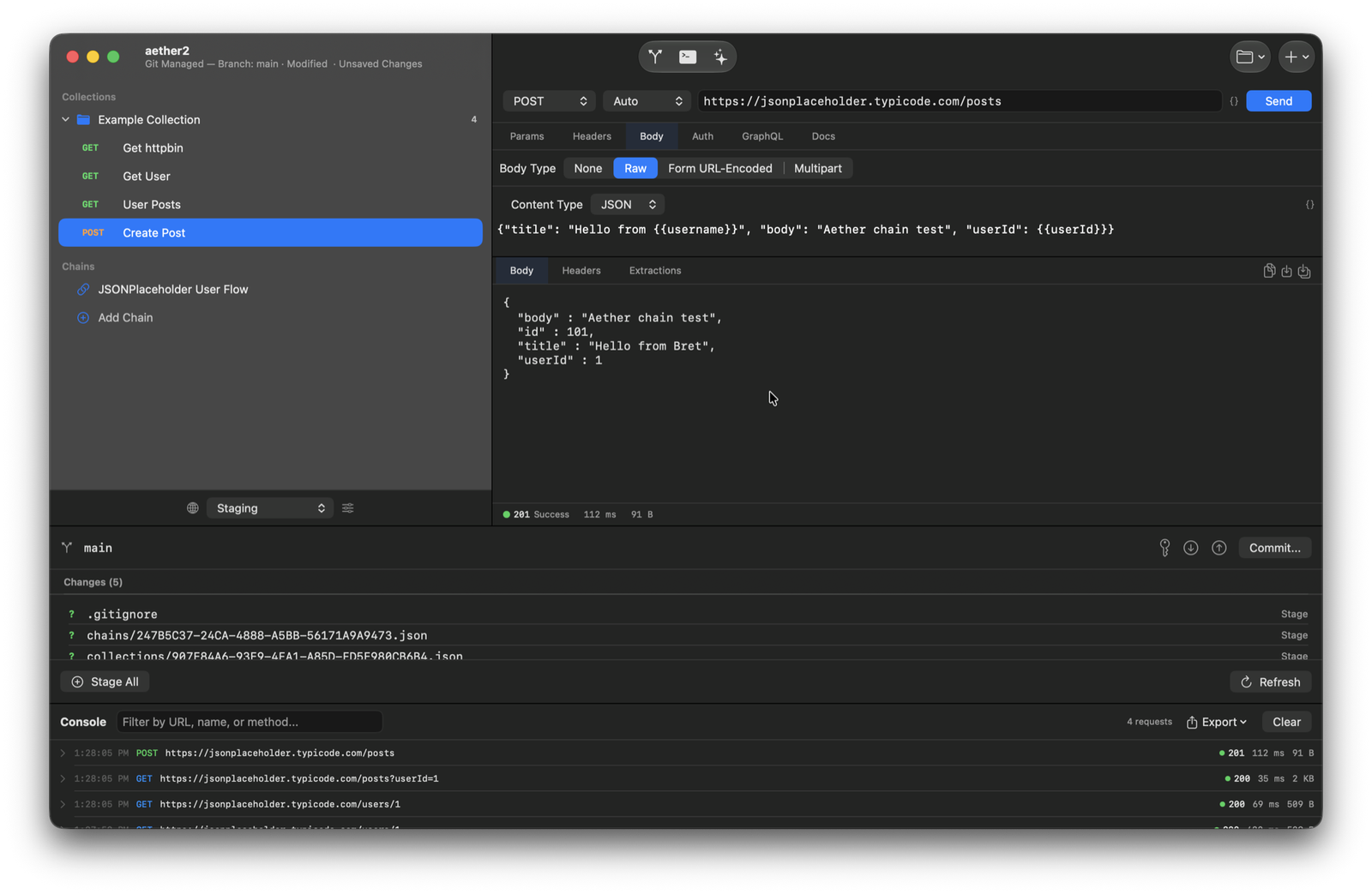
Write a POST body that pulls {{username}} and {{userId}} straight from your environment and prior steps. Send it and inspect the response, headers, and extractions side by side — with full syntax highlighting.
A full-featured API client with native macOS integration and an agent-ready tool surface.
{{variable}} substitutionDownload Aether and start designing, testing, and automating your APIs without leaving your Mac.
macOS 15 or later
Found a bug or have feedback?